The short answer
Make a series of videos for one clear audience, package each one so the right people click, ask for the subscription once viewers have seen the value, and use YouTube's own tools to lead them to the next video. When you want more reach, promote your best video to real viewers through YouTube ads.
Skip anything that delivers subscribers from accounts on demand. YouTube removes spam subscribers from your total, including ones bought from third-party services.
| Method | What to do | Where in YouTube |
|---|---|---|
| 1. Videos people want more of | Publish a series for one audience | Your upload plan |
| 2. Thumbnails and titles | Test up to 3 versions per video | Studio, Test & compare |
| 3. Ask at the right moment | Ask after you deliver value | In the video |
| 4. Reply to comments | Answer, pin and heart comments | Studio, Comments |
| 5. End screens and playlists | Send viewers to the next video | Studio, Editor |
| 6. Shorts | Link each Short to a long video | Shorts upload screen |
| 7. Collaborations | Make videos with creators in your niche | Both channels |
| 8. Ads to real viewers | Promote your best video | YouTube Promote or Google Ads |
What counts as a real subscriber?
A real subscriber is an active person who chose to follow your channel. They see your new uploads in their Subscriptions feed, they may get notifications, and some of them watch, like and comment. That activity is what makes a subscriber useful to you.
A fake subscriber is an account created or controlled to add to a count. It never watches, and YouTube says spam subscribers and closed accounts do not count toward your total, so the number can drop without warning. Our guide to whether it is safe to buy YouTube subscribers explains the difference in detail.
1. Make videos people want more of
People subscribe when they expect the next video to be as useful or as enjoyable as the one they just watched. One good video earns a view; a clear pattern of good videos earns a subscription.
Pick one audience and one promise, then publish videos that keep it: a weekly recipe for busy parents, a beginner guitar lesson series, a review of every new budget phone. A visitor who opens your channel page should understand in a few seconds what they will get by subscribing.
- Plan videos in series so one leads naturally to the next.
- Keep a steady schedule your viewers can learn.
- Use the channel trailer and banner to state who the channel is for.
2. Thumbnails and titles that earn the click
A subscriber starts as a viewer, and a viewer starts with a click. The title and thumbnail should tell the right person exactly what the video gives them, with a promise the video then keeps.
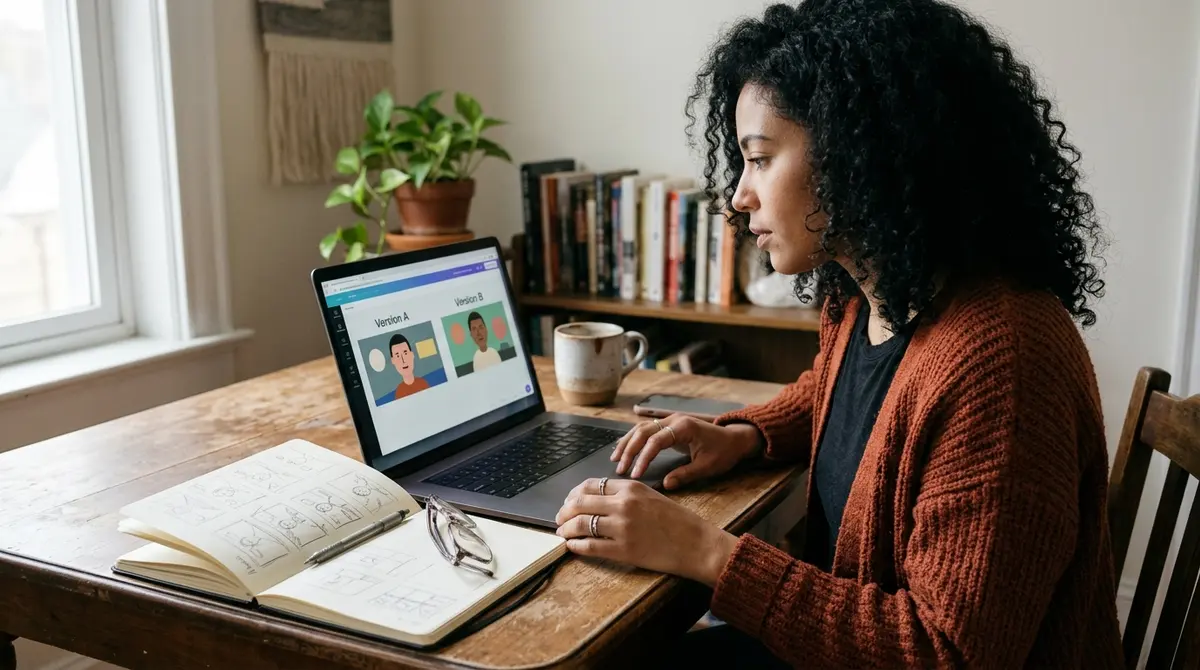
YouTube Studio lets you test up to three titles and thumbnails on one video. YouTube picks the version with the highest watch time, not the highest click-through rate, which rewards honest packaging over clickbait. If you need title ideas to test, our free YouTube title generator gives you a starting list.
3. Ask for the subscription at the right moment
YouTube's fake engagement policy states that creators are allowed to encourage viewers to subscribe, like, share or comment. The question is when. Asking in the first seconds, before you have given anything, is easy to ignore.
Ask right after a useful moment, and give a reason tied to the channel: "If you want the next lesson in this series, subscribe so it shows up in your feed." You can also add a video watermark in Studio under Customization, Branding: a small image in the corner of your videos that viewers can click to subscribe.

5. Use end screens and playlists
A viewer who watches two or three of your videos in a row is far more likely to subscribe than one who leaves after the first. End screens and playlists are how you lead them there.
According to YouTube Help, end screens can appear in the last 5 to 20 seconds of a video that is at least 25 seconds long, with up to four elements on a standard 16:9 video. One of them can be a Subscribe element. End screens are not available on videos set as made for kids.
- Point the end screen at the next video in the series, not a random upload.
- Group related videos into playlists and link the playlist from the description.
- Leave space at the end of your edit so the end screen does not cover content.
6. Use Shorts as a discovery path
Shorts reach people who have never seen your channel. Treat each Short as a trailer for what the channel does: one tip, one result or one moment from a longer video.
When you upload a Short you can add a related video link, which sends interested viewers to a full video on your channel. That is where they see enough of your work to decide to subscribe.
7. Collaborate with creators in your niche
A collaboration puts you in front of an audience that already watches your kind of content. Look for creators of a similar size whose viewers would enjoy your videos, and propose a video that is useful for both channels.
Make the link easy to follow: mention each other in the video, link both channels in the description and point the end screen at the partner's video. This is different from sub4sub, where creators trade subscriptions without any interest in the content.
8. Promote to real viewers with Google Ads
Ads put your best video in front of people who match your audience. YouTube offers this inside Studio through Promote, where one of the goals is more subscribers, and through Google Ads with more control. YouTube's Promote help page says that views and subscribers gained through a Promote campaign are legitimate.
Two points matter for planning. Subscribers from ads count in your subscriber total, but YouTube counts only organic subscribers toward the Partner Program threshold. What does count is what happens next: Follow-on Views, the organic views from people who go on to watch more of your videos after seeing a promotion, count toward Partner Program eligibility.
If you would rather not run the campaign yourself, Metricvia runs subscriber campaigns through Google Ads from a public channel link, starting at $5 per 100 subscribers. See the options on our buy YouTube subscribers page.
What to avoid
Some shortcuts add a number without adding a viewer, and YouTube treats them as fake engagement.
- Sub4sub: YouTube's policy lists offering to subscribe to another channel only if they subscribe back as prohibited.
- Bot or panel subscribers: YouTube removes spam subscribers, including ones bought from third-party services, from your total.
- Giveaways that exist only to collect subscriptions: content that solely exists to incentivize engagement is not allowed.
- Any service that asks for your password or channel access.
How to see where your subscribers come from
In YouTube Studio, open Analytics and check subscribers gained for each video to see which uploads bring people in. Videos that win subscribers tell you which topics and formats to make more of.
For the first milestone, our guide on how to get your first 1,000 subscribers breaks the goal into stages you can track week by week.
Frequently asked questions
How long does it take to get 1,000 real subscribers?
There is no fixed time. It depends on your niche, how often you upload and how well your videos match what viewers want. Track subscribers gained per video in Studio and make more of what works.
Do subscribers from ads stay?
They are real people who chose to subscribe, so most behave like any other subscriber. Some will unsubscribe over time, as happens with every audience.
Do subscribers from ads count toward monetization?
They count in your subscriber total, but YouTube counts only organic subscribers toward the Partner Program threshold. Follow-on Views, the organic views that come after a promotion, do count toward eligibility.
Is sub4sub allowed on YouTube?
No. YouTube's fake engagement policy lists offering to subscribe to another channel only if they subscribe back as prohibited.
How do I spot fake subscribers?
Look for sudden jumps of hundreds or thousands in a short time, new subscribers who never watch, and a count that falls when YouTube removes spam accounts.
Official references
Platform rules and product names can change. Use these official YouTube and Google pages to verify the current position before making a campaign or monetisation decision.